KDP Dot Grid Paper 45: Streamlining Your Low Content Publishing Workflow
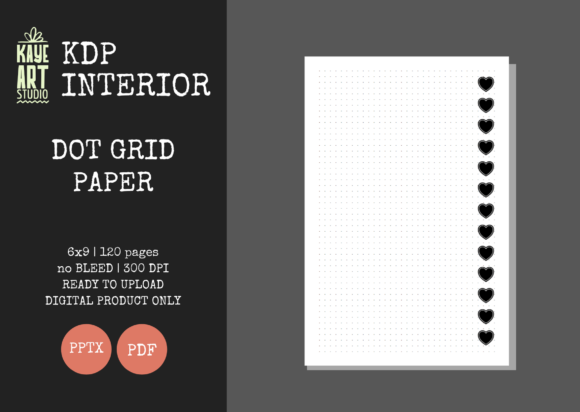
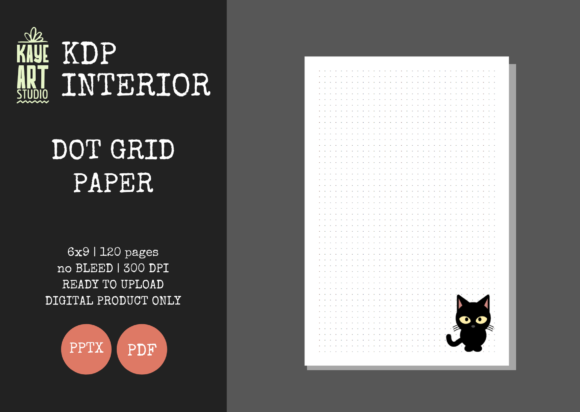
Building a sustainable portfolio on Amazon KDP often comes down to efficiency and quality control. For publishers focusing on no and low content books, the interior file is the product itself. KDP Dot Grid Paper 45 represents a specific, optimized solution designed to eliminate technical friction during the upload process. This resource provides a 6×9 inch, 120-page dot grid journal interior that has been pre-formatted to meet Amazon’s strict printing specifications. Rather than spending hours adjusting margins or worrying about bleed settings, creators can utilize this ready-made foundation to focus on niche research, cover design, and marketing strategy.
The appeal of this specific interior lies in its precision. It is configured with no bleed settings, which is the standard for most text-based and simple grid journals. At 300 DPI, the dots are crisp rather than pixelated, ensuring a professional user experience. However, having a high-quality file is only half the battle. Many publishers still encounter rejection notices or poor customer reviews because they misunderstand how to integrate these files into their workflow. Understanding the nuances of this asset prevents costly errors and ensures your book meets reader expectations.
Common Misunderstandings About Bleed and Margins
One of the most frequent mistakes new publishers make when using pre-made interiors like KDP Dot Grid Paper 45 is assuming they can alter the trim size or add bleed after downloading. This file is explicitly set to 6×9 inches with no bleed. A common error occurs when a creator designs a cover with full-bleed artwork but attempts to pair it with this no-bleed interior. While KDP allows this combination, the interior pages will have a mandatory white safety margin. If you attempt to force this PDF into a bleed template or resize it to fit a different trim size, the dot alignment will distort, and the safe zones will be violated.
To avoid this, always confirm your cover dimensions match the specific "no bleed" requirements for a 6×9 book before uploading. Do not attempt to stretch this 120-page file to create a thicker book by duplicating pages in a way that alters the page count without checking the spine width calculator again. The safest approach is to treat the interior specifications as immutable. If your creative vision requires edge-to-edge printing inside the book, this specific no-bleed file is not the correct tool. Selecting the right file type for your intended finish is more efficient than trying to modify a file that was engineered for a different purpose.
The Editable PPTX Advantage and Pitfalls
A significant feature of this listing is the inclusion of an editable PowerPoint (PPTX) file alongside the print-ready PDF. This is invaluable for customization, but it introduces a risk vector. Some users open the PPTX, make adjustments, and then save it directly as a PDF for upload without verifying the export settings. PowerPoint is not native publishing software; default exports often compress images below 300 DPI or shift element positioning slightly.
Always verify your exported PDF properties before submission. Open the file in a PDF viewer and zoom in to 100% to inspect the dot clarity. If the dots appear fuzzy or gray rather than sharp black, your export settings compressed the quality. Furthermore, if you edit the master slide to change dot spacing or add prompts, ensure you do not drag elements into the non-printable safety zone. The original KDP Dot Grid Paper 45 file has been tested for compliance, but once you modify it, you assume responsibility for quality assurance. A better practice is to make your edits, export at high resolution, and run the file through KDP’s previewer tool every single time, even if you only changed a single header.
Evaluating Page Count and Perceived Value
This interior contains 120 pages, which is a strategic sweet spot for journals. It offers enough utility for several months of use while keeping printing costs low enough to maintain healthy royalties. A mistake many beginners make is undervaluing this standard length or, conversely, expecting it to support premium pricing reserved for larger volumes. When evaluating this asset, consider your niche's specific needs. For a daily gratitude journal, 120 pages might represent four months of entries, which is excellent value. For a comprehensive academic planner, it may feel insufficient.
Do not artificially inflate the page count by adding blank filler pages just to make the book look thicker. Readers notice padding, and it leads to negative reviews regarding value. Instead, leverage the 120-page structure as a selling point in your description. Highlight that it is a concise, portable companion perfect for bag carry. If your market research indicates a need for 200+ pages, use this file as a volume one or a starter edition rather than forcing it to be something it is not. Aligning the product specs with customer expectations is crucial for long-term account health.
Cover Design Compatibility Checklist
Since this listing is for the interior only, the success of your book hinges entirely on the cover you create. A disconnect between the interior style and cover aesthetic is a common conversion killer. The dot grid format suggests organization, creativity, and minimalism. Pairing this interior with a chaotic, overly complex, or dark cover can create cognitive dissonance for the buyer. Before finalizing your purchase or download, visualize the end product.
- Verify Trim Size: Ensure your cover canvas is exactly 6×9 plus the required bleed allowances for the cover wrap, distinct from the interior's no-bleed setting.
- Check Spine Width: Calculate spine width based specifically on 120 pages of white paper. Using a generic calculator or guessing will result in a misaligned spine.
- Match the Vibe: Use clean typography and matte finishes that complement the structured nature of dot grid paper.
- Test the Preview: Upload both files together in KDP Previewer to check for warnings. Never assume compatibility without visual proof.
Making Informed Decisions for Your Business
Integrating KDP Dot Grid Paper 45 into your publishing business should be a calculated decision based on workflow optimization. This asset saves time on formatting and reduces the learning curve associated with book layout. However, it is not a magic solution for sales. The file provides a professional baseline, but your value add comes from niche selection, keyword research, and compelling branding.
Before using this file, audit your current catalog. Are you spending too much time recreating basic grids? Are your previous journals getting rejected for margin errors? If so, this standardized interior solves those operational bottlenecks. Conversely, if you are targeting a niche that requires specialized layouts like music notation or medical logs, a standard dot grid will not suffice regardless of its quality. Use this tool where it fits naturally. By respecting the technical specifications and understanding the relationship between the interior file and the final product, you build a more resilient and professional KDP business. Quality interiors lead to better reviews, and better reviews lead to sustainable organic growth.