KDP Lined Journal 24: Streamlining Your Low-Content Publishing Workflow
Building a sustainable Amazon KDP business requires balancing creative volume with technical precision. For publishers focusing on no and low-content books, the bottleneck is often not the idea generation but the repetitive production of high-quality interiors. KDP Lined Journal 24 addresses this specific friction point by providing a pre-formatted, tested foundation for your publishing pipeline. This resource is designed to integrate seamlessly into existing workflows, allowing creators to bypass the tedious setup phase and move directly to cover design and listing optimization.
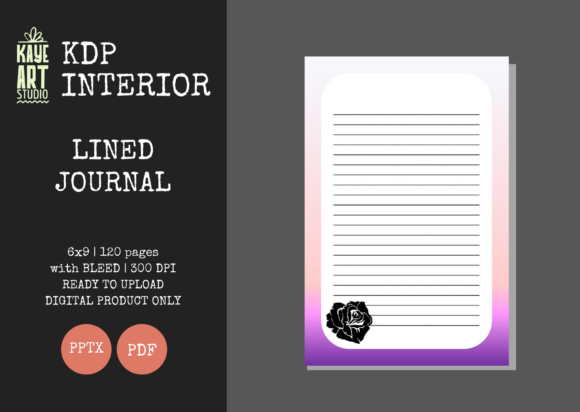
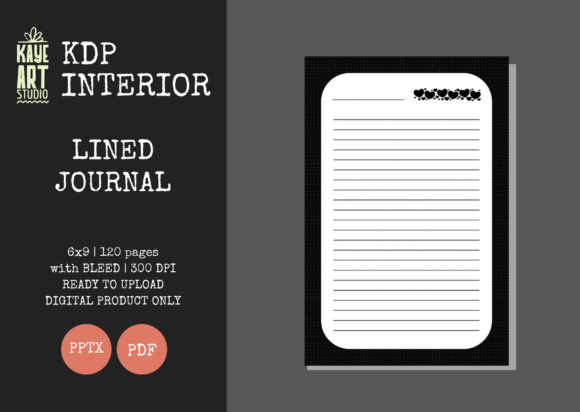
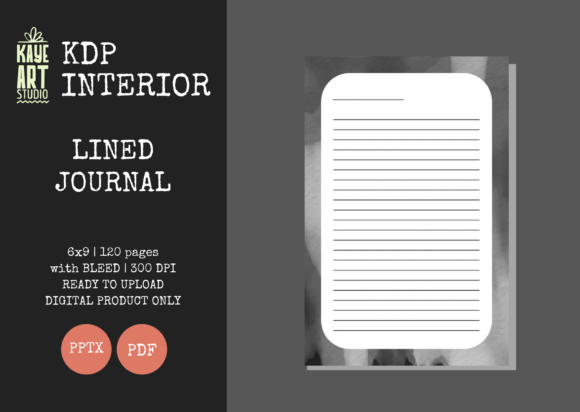
At its core, this asset is a 120-page lined journal interior formatted specifically for the 6×9 inch trim size. However, its value extends beyond simple page count. It serves as a standardized component in a broader publishing system. By utilizing a verified PPTX and PDF template that includes proper bleed settings and 300 DPI resolution, publishers can maintain consistency across multiple SKUs. This standardization is critical for professionals, educators, and entrepreneurs who treat KDP as a serious revenue stream rather than a casual hobby. The inclusion of an editable PowerPoint file transforms this from a static document into a flexible tool adaptable to various niche requirements.
Technical Specifications and Pre-Upload Preparation
Before integrating KDP Lined Journal 24 into your production schedule, it is essential to understand the technical parameters that ensure a smooth upload process. The file has been rigorously tested on KDP to minimize rejection risks, but user adherence to specific settings remains mandatory. The most critical technical detail involves the bleed configuration. When uploading this interior to Amazon KDP, you must explicitly select the BLEED option. Failing to do so will result in margin errors or content being cut off during the printing proof stage.
The 6×9 inch trim size was selected because it represents the industry standard for trade journals and notebooks. This dimension offers the highest compatibility with reader expectations and physical shelf presence. With 120 pages at 300 DPI, the file strikes an optimal balance between perceived value and printing costs. Thicker books increase royalty thresholds, while thinner books may appear insubstantial. This specific page count sits in the sweet spot for profitability in the lined journal category.
Users receive both PDF and PPTX formats. While the PDF is generally recommended for final upload to preserve formatting integrity, the PPTX file serves a distinct purpose in the workflow. It allows for bulk modifications, such as adding a custom logo to the first page, inserting a "This Book Belongs To" section, or adjusting line spacing for specialized niches like handwriting practice or music notation. This editability ensures that the interior does not remain generic, which is a key factor in differentiating products in a saturated marketplace.
Integrating Interiors into Creative and Business Workflows
The utility of KDP Lined Journal 24 varies depending on where you are in your project lifecycle. Understanding when and how to deploy this asset can significantly reduce time-to-market.
During the Research and Validation Phase
When testing new niches, speed is more important than perfection. Many publishers waste days designing custom interiors for keywords that have zero search volume. By using this pre-made interior as a baseline, you can create a minimum viable product (MVP) in minutes. This allows you to validate market demand through actual listings rather than theoretical research. If the journal sells, you can then invest time in creating a bespoke interior. If it does not, you have lost minimal production time. This approach aligns with lean startup methodologies applied to self-publishing.
During Cover Design and Branding
It is vital to remember that this listing provides the interior only. You must create your own cover. This separation of assets actually enhances workflow efficiency. Because the interior dimensions and bleed are fixed and known, you can set up your cover design templates in Canva, Photoshop, or Affinity Publisher with exact specifications before the interior is even finalized. This parallel processing means your cover designer or your own design work does not have to wait for interior formatting adjustments. The 6×9 size with bleed requires a cover template that accounts for spine width based on the 120-page count; having a reliable interior file eliminates guesswork regarding spine calculation.
Post-Publication and Series Expansion
Consistency builds brands. If you are publishing a series of journals for a specific audience—such as nurses, teachers, or real estate agents—using KDP Lined Journal 24 as the master template ensures that every book in the series feels cohesive. Readers who purchase one volume are more likely to buy subsequent volumes if the writing experience is identical. The editable PPTX file facilitates this scaling. You can save a master version with your brand’s front matter and simply swap out title pages for each new release. This reduces the cognitive load of managing multiple files and prevents version control errors that often occur when managing dozens of similar products.
Practical Implementation and Quality Control
Successful integration of this resource requires attention to detail during the implementation phase. While the files are tested, your specific modifications or upload choices can introduce variables. Adopting a systematic quality control checklist is recommended for all users, from freelancers to small business owners.
- Verify Bleed Settings: Always double-check that the "Bleed" radio button is selected during the KDP upload wizard. Preview the digital proof specifically looking at the outer edges to ensure lines extend fully to the trim line without white borders.
- Check Safe Zones: Even with bleed enabled, ensure that any added text or logos in the editable PPTX file remain within the safe zone. Content too close to the gutter or outer edge may be trimmed or obscured by binding.
- Test Print Compatibility: Before ordering a physical proof, use the KDP digital previewer to scroll through every page. Look for shifting elements or corrupted fonts that may have occurred during PPTX editing.
- Metadata Alignment: Ensure your book description and backend keywords accurately reflect the interior. Since this is a standard lined journal, avoid making claims about specialized content (like prompts or trackers) unless you have modified the PPTX file to include them.
Efficiency also comes from organizing your digital assets. Create a dedicated folder structure for your KDP business that separates raw source files (PPTX) from print-ready files (PDF). Naming conventions should include the trim size, page count, and bleed status (e.g., LinedJournal_6x9_120pg_Bleed_v1.pdf). This prevents the common error of uploading a non-bleed version of a file or confusing this interior with other sizes in your catalog.
Strategic Considerations for Long-Term Use
While KDP Lined Journal 24 solves immediate formatting needs, long-term success depends on how you leverage this foundation. In a competitive ecosystem, a standard interior is a commodity. Your competitive advantage lies in how you package and position it. Consider this interior as a canvas rather than a finished product.
For educators and coaches, the editable nature of the PPTX file allows for the addition of high-value introductory content. Adding two pages of instructional text, a resource list, or a personalized welcome message can transform a generic notebook into a specialized tool. This slight modification justifies a higher price point and improves customer satisfaction. Similarly, marketers can use the front matter to drive traffic to external websites or email lists, turning the physical journal into a lead generation asset.
Furthermore, consider the seasonality of your publishing workflow. During high-volume periods like Q4 back-to-school or New Year planning seasons, having a library of pre-tested interiors like this one allows you to capitalize on trends quickly. You can focus your limited energy on trend-responsive cover designs and keyword research, knowing the interior production is already solved. This division of labor between standardized components and creative variables is what separates scalable publishing businesses from those that burn out.
Ultimately, KDP Lined Journal 24 is a productivity tool for the publisher. It removes technical ambiguity and provides a reliable substrate for creative expression. Whether you are launching your first book or managing a portfolio of hundreds, treating your interior files with the same strategic consideration as your covers and keywords will yield better operational efficiency and more consistent results. Remember to always respect the technical requirements, leverage the editable features for differentiation, and maintain rigorous quality standards throughout your publishing process.