Optimizing Low Content Publishing with KDP Dot Grid Paper 74 Interiors
The landscape of Amazon Kindle Direct Publishing (KDP) has shifted significantly from simple lined notebooks to specialized, functional tools that serve specific user needs. Within this evolution, the dot grid format has emerged as a versatile standard for planners, bullet journals, and technical sketchbooks. For publishers focusing on no and low content books, utilizing pre-formatted interiors like KDP Dot Grid Paper 74 provides a strategic advantage in production efficiency and quality assurance. This specific interior template is engineered to meet the precise technical requirements of KDP while offering the flexibility required by modern creators and professionals.
Technical Specifications and Print Quality Standards
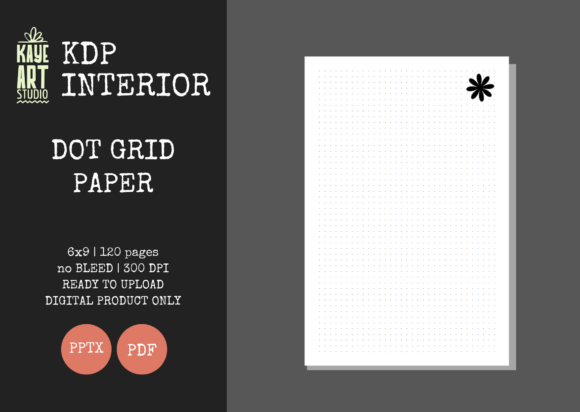
Success in low content publishing relies heavily on adhering to strict printing specifications. A common point of failure for new publishers is incorrect margin settings or bleed configurations that result in rejected files or poorly trimmed books. The KDP Dot Grid Paper 74 interior addresses these technical hurdles through standardized dimensions and resolution.
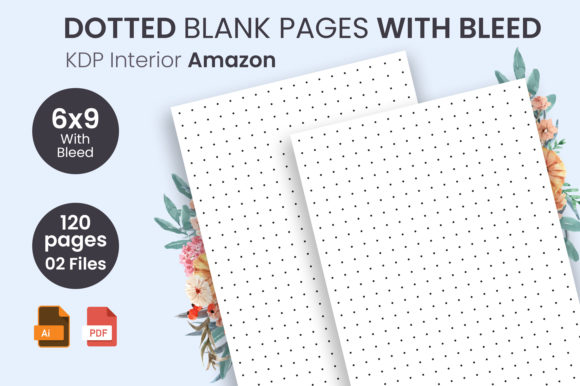
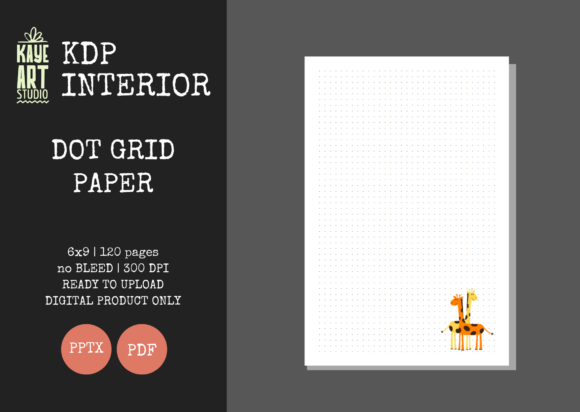
- Trim Size: The 6×9 inch dimension is widely considered the industry sweet spot for portable journals. It offers sufficient writing surface area without being cumbersome, making it ideal for commuters, students, and field researchers.
- Bleed Settings: This template utilizes a NO BLEED configuration. This is a critical distinction for dot grid papers where the pattern often stops short of the page edge to preserve binding integrity and prevent ink loss during trimming. Understanding "no bleed" ensures that your cover design aligns perfectly with the interior block.
- Page Count: At 120 pages, this interior strikes a balance between substantial utility and cost-effective printing. Thicker books increase royalty costs, while thinner books may perceive lower value. 120 pages provide roughly six months of daily use or extensive project planning space.
- Resolution: All files are rendered at 300 DPI (Dots Per Inch). This is the non-negotiable standard for crisp print reproduction. Lower resolution vectors can appear pixelated or gray rather than sharp black, which degrades the user experience immediately upon opening the book.
The Strategic Value of Editable PPTX Files
While PDF is the final delivery format for KDP, the inclusion of an editable PowerPoint (PPTX) file distinguishes professional-grade interiors from generic downloads. Static PDFs limit a publisher to a single product variation, whereas editable source files enable portfolio diversification. With the KDP Dot Grid Paper 74 PPTX file, publishers can modify the master slide to create derivative works without rebuilding the grid geometry from scratch.
This editability allows for the addition of proprietary elements such as custom headers, footer page numbers, branded watermarks, or introductory instruction pages. For example, a publisher targeting architects might add a title block to the bottom corner of each page, while a publisher targeting fitness enthusiasts might add a hydration tracking icon to the header. This capability transforms a generic commodity into a niche-specific tool, directly supporting E-E-A-T principles by demonstrating expertise in serving a particular audience segment.
Functional Applications Across Professional and Creative Domains
The dot grid structure serves as a hybrid between the freedom of blank paper and the guidance of ruled lines. This unique characteristic makes KDP Dot Grid Paper 74 suitable for a diverse range of users beyond the traditional journaling community. Understanding these use cases helps in crafting better metadata, descriptions, and cover designs.
Technical Drawing and Engineering
Engineers, draftsmen, and DIY hobbyists prefer dot grids because they provide reference points for scaling and proportion without the visual noise of full grid lines. The dots act as anchors for drawing straight lines, schematics, and floor plans while remaining unobtrusive when scanning or photocopying notes. Publishers can market this interior specifically to STEM students or trade professionals who need field-ready documentation tools.
Bullet Journaling and Personal Organization
The BuJo community remains a primary driver of dot grid sales. However, saturation in this niche requires specificity. Rather than marketing a general "bullet journal," publishers using this interior can target sub-niches such as academic planning, habit tracking, or financial budgeting. The 6x9 size is particularly favored in this community for its portability, allowing users to carry their organizational system alongside daily essentials.
Educational and Research Note-Taking
Researchers and graduate students often utilize dot grids for mind mapping and non-linear note-taking methods like the Cornell System. The subtle guide points facilitate the creation of charts, graphs, and diagrams within text-heavy notes. When positioning this interior for the education sector, emphasizing the 300 DPI clarity becomes essential, as students require high-contrast guides that do not interfere with highlighter usage or handwriting legibility.
Workflow Integration and Upload Readiness
Efficiency in KDP publishing is measured by the time from concept to live listing. The KDP Dot Grid Paper 74 package is designed to streamline this workflow through pre-validation. Files described as "Ready for Upload" have typically been tested against KDP’s automated review system to ensure margin safety and gutter allowances are correct.
When integrating this interior into a publishing workflow, consider the following best practices:
- Cover Design Alignment: Since this is an interior-only listing, your cover must be calculated based on the exact page count (120 pages) and paper type (typically white or cream). Use KDP’s cover calculator with these specific parameters to avoid spine misalignment.
- File Verification: Always download the provided PDF and view it at 100% zoom before uploading. Verify that the dots are crisp and that the margins feel comfortable for hand-writing. Even tested files should undergo personal quality assurance.
- Metadata Strategy: Avoid keyword stuffing. Instead, describe the functional benefits derived from the specifications. Mention the "no bleed" layout as a feature for clean edges, and highlight the 6x9 trim size as optimal for travel or desk work.
Differentiation in a Saturated Market
With thousands of dot grid notebooks available on Amazon, relying solely on the interior is insufficient. The combination of KDP Dot Grid Paper 74 with a unique value proposition is what drives sales. Differentiation can be achieved through both the physical product presentation and the digital marketing approach.
Consider creating "Look Inside" content that showcases the specific dot spacing and margin width. Many customers return dot grid books because the dots are too dark or too faint. By clearly communicating the visual weight of the grid in your listing images, you reduce returns and increase customer satisfaction. Furthermore, leveraging the editable PPTX file to create series variations—such as different colored covers for different subjects or seasonal editions—builds brand recognition and encourages repeat purchases.
Understanding User Experience and Ergonomics
The choice of 6x9 inches and 120 pages is not arbitrary; it is rooted in ergonomic usability. Larger formats like 8.5x11 are excellent for desk work but fail in mobile contexts. Smaller formats like A6 lack sufficient space for detailed diagrams. The 6x9 format accommodates both handwriting and sketching comfortably. Similarly, 120 pages prevents the book from becoming too heavy or expensive, while still offering enough longevity to justify the purchase price.
Publishers should also consider the paper color implications. While the digital file is black ink on transparent/white background, the end-user experience depends on whether they select white or cream paper during upload. Cream paper reduces glare and is often preferred for reading and long-form writing, while white paper provides higher contrast for technical drawings and scanning. Providing guidance on which paper type suits which use case in your book description adds significant value to the customer.
Licensing and Commercial Usage Considerations
When acquiring interiors like KDP Dot Grid Paper 74, understanding the licensing scope is paramount for business sustainability. Most commercial-use interiors allow for unlimited book creations but prohibit reselling the digital files themselves. Publishers must ensure they are adding transformative value rather than simply redistributing assets.
The requirement to create your own covers is not just a technical necessity but a legal and ethical one. Combining a licensed interior with original cover art creates a unique copyrighted work. This separation protects your listing from takedowns associated with duplicate content. Additionally, maintaining records of your license agreements and source files is a best practice for long-term account health, especially as platforms become more stringent regarding intellectual property verification.
Scaling Production with Standardized Assets
For publishers managing large catalogs, standardization reduces cognitive load and operational errors. Using KDP Dot Grid Paper 74 as a baseline asset allows for predictable production timelines. When every book shares the same trim size, page count, and bleed settings, cover templates can be reused, and formatting checks become routine.
This scalability extends to marketing assets as well. Mockups created for one 6x9, 120-page dot grid book can be easily adapted for others in the series. Social media content, A+ Content modules, and advertising creatives can be developed once and deployed across multiple SKUs. This systematic approach to low content publishing moves the business model away from speculative uploads toward sustainable brand building.
Ultimately, the effectiveness of any KDP interior lies in how well it solves a problem for the end user. KDP Dot Grid Paper 74 provides the technical foundation necessary for high-quality production, but the publisher’s role is to contextualize that foundation for specific audiences. Whether serving engineers needing precision, students requiring organization, or creatives seeking freedom, the success of the publication depends on aligning these robust specifications with genuine user needs. By focusing on quality, editability, and targeted application, publishers can leverage this interior to build a resilient and valuable catalog in the evolving digital publishing ecosystem.