KDP Dot Grid Paper 11: Streamlining Interior Production for Low Content Publishing
Establishing a sustainable Amazon KDP business requires moving beyond random uploads to creating a systematic production workflow. For publishers focusing on no and low content books, the interior file is often the bottleneck where quality issues arise or time is wasted on repetitive formatting tasks. KDP Dot Grid Paper 11 serves as a standardized asset designed to eliminate technical friction during the publishing process. This resource provides a pre-formatted, 6x9 inch dot grid journal interior that integrates directly into existing design workflows, allowing creators to focus on niche research and cover design rather than manual page layout.
The primary function of this asset is to serve as a reliable foundation for journal-based products. In the broader context of a publishing business, it acts as a modular component. Just as software developers use libraries to avoid rewriting code, KDP publishers utilize pre-made interiors to maintain consistency across multiple titles. When implementing KDP Dot Grid Paper 11, you are essentially deploying a verified template that adheres to current platform specifications. This shifts the operational focus from technical troubleshooting to strategic product development, ensuring that every upload meets the necessary quality thresholds without requiring hours of margin adjustment or bleed verification.
Technical Specifications and Workflow Integration
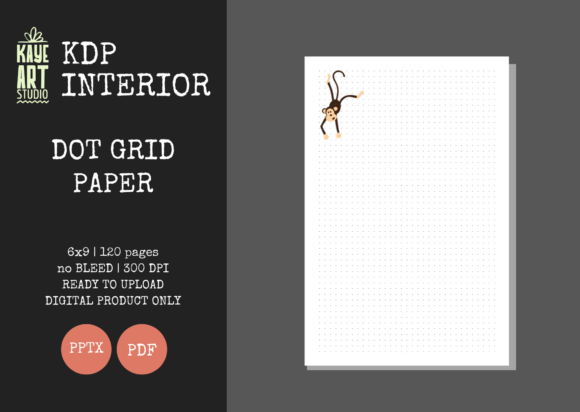
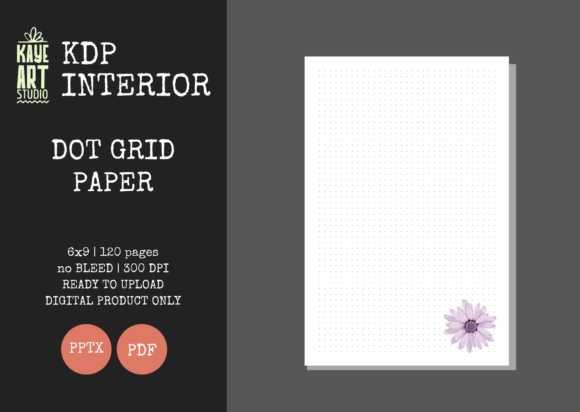
Understanding the precise technical parameters of KDP Dot Grid Paper 11 is essential for seamless integration into your publishing pipeline. This specific interior is configured with a 6x9 inch trim size, which remains one of the most versatile and popular formats for journals, planners, and notebooks. Crucially, the file is set to NO BLEED. This distinction significantly impacts how you approach both the interior and the eventual cover design. Because the content does not extend to the edge of the page, you must account for safe zones differently than you would with full-bleed art books or coloring books.
The asset includes 120 pages at 300 DPI resolution. While digital screens may display lower resolutions adequately, print-on-demand manufacturing demands high fidelity to prevent pixelation or blurring of the dot grid pattern. The 300 DPI standard ensures crisp lines that enhance the user experience. From a workflow perspective, having a fixed page count allows for accurate spine width calculations early in the project lifecycle. You can generate your cover template immediately after selecting this interior, facilitating parallel work streams where cover design and metadata preparation happen simultaneously with final file checks.
File compatibility plays a significant role in operational efficiency. KDP Dot Grid Paper 11 is delivered in both PDF and PPTX formats. The PDF serves as the production-ready file for direct upload, while the PowerPoint file offers editability for those who need to modify the grid density, add headers, or insert custom branding elements. This dual-format approach supports different stages of the creation process: rapid deployment for testing new niches using the PDF, and iterative customization for established series using the PPTX source file.
Strategic Application Across Project Phases
This dot grid interior is not merely a static file; it functions as a variable tool depending on where you are in the product lifecycle. Before launching a new niche, KDP Dot Grid Paper 11 can be used for rapid prototyping. Instead of investing days designing a custom interior for an unproven market, publishers can deploy this standardized version to validate demand. If the title gains traction, you can later return to the editable PPTX file to create a proprietary version. This lean methodology reduces upfront risk and conserves creative energy for validated opportunities.
During the active production phase, this asset facilitates batch processing. When managing a portfolio of dozens or hundreds of titles, consistency reduces cognitive load. By standardizing on KDP Dot Grid Paper 11 for all general-purpose journals, you create a predictable baseline. This uniformity simplifies quality control checklists and accelerates the upload process. You know exactly what to expect regarding margins, gutter space, and overall aesthetic, which minimizes the likelihood of rejection during Amazon’s automated review system.
Post-publication, this interior supports brand cohesion. If you operate under a specific imprint or series name, using identical interior structures helps build reader trust. Customers who purchase one of your journals and appreciate the paper quality and grid spacing are more likely to repurchase if subsequent titles offer the same tactile experience. In this sense, KDP Dot Grid Paper 11 becomes part of your brand identity infrastructure, signaling reliability and professional standards to your audience even in a low-content category.
Quality Control and Platform Compliance
One of the most critical aspects of using pre-made interiors is verifying their readiness for the current KDP environment. Platform guidelines evolve, and files created years ago may no longer pass validation. KDP Dot Grid Paper 11 has been tested specifically for current upload requirements, but prudent publishers always perform their own due diligence. Before uploading, download the latest KDP Previewer tool and run the file through a complete check. Pay particular attention to the inner margin (gutter) on the 120-page block, as binding thickness can sometimes shift printable areas.
The "No Bleed" setting requires specific attention during the cover design phase. A common error occurs when creators assume a standard bleed setup and design covers that get trimmed incorrectly. When pairing this interior with a cover, ensure your cover template is also selected as "No Bleed." The safe zone for text and critical design elements should be respected rigorously. Because the dot grid stops short of the page edge, your cover design should visually complement this contained aesthetic rather than fighting against it with edge-to-edge chaos.
Editability introduces both opportunity and risk. If you choose to modify the PPTX file, maintain the original document dimensions and master slide settings. Altering slide size or margins in PowerPoint can inadvertently break the alignment required for print. Always export modified versions as high-resolution PDFs and re-validate them. Treat the original KDP Dot Grid Paper 11 files as your golden master; keep unaltered backups so you can always revert to a known-good state if customization attempts introduce formatting errors.
Operational Considerations for Publishers
Integrating this asset effectively requires understanding its scope. It is vital to recognize that this listing covers the INTERIOR only. Cover creation remains a separate responsibility and often represents the primary differentiator in a saturated marketplace. Your workflow should clearly delineate interior selection from cover design. While the interior provides functional utility, the cover drives conversion. Allocate your design resources accordingly, perhaps using AI tools or professional designers for covers while relying on KDP Dot Grid Paper 11 to handle the utilitarian aspects of the book's construction.
For educators, coaches, or professionals creating lead magnets or course companions, this interior offers a quick turnaround solution. Rather than hiring a formatter for a simple workbook or reflection journal, you can leverage this pre-built structure to produce professional-grade materials internally. The dot grid format is particularly well-suited for these applications because it supports both structured writing and freeform diagramming, making it versatile enough for diverse adult learning and planning contexts.
Long-term asset management involves organizing your files logically. Store the PPTX and PDF versions of KDP Dot Grid Paper 11 in a dedicated "Master Interiors" folder within your project management system. Tag the files with relevant metadata such as trim size, page count, and bleed status. When scaling your business or onboarding virtual assistants, this organizational clarity prevents costly mistakes. New team members can locate and deploy the correct files without guessing, maintaining the integrity of your publishing standards even as operations expand.
Ultimately, the value of KDP Dot Grid Paper 11 lies in its ability to standardize the foundational elements of low-content publishing. By removing technical uncertainty and providing a tested, high-quality base, it enables publishers to operate with greater speed and confidence. Whether used for market testing, series expansion, or professional material creation, this asset transforms the interior from a recurring chore into a streamlined component of a larger, more efficient business system. Success in KDP depends not just on individual book performance, but on the robustness of the processes behind them, and this dot grid interior is engineered to support that systemic strength.